What is meant by Google Stacking and its Importance

0
(0)

Google stacking also referred to as Google Drive Stacking, Google Authority Stacking, Google Entity Stacking, or simply a Google Stack is a powerful white-hat SEO strategy that leverages high-authority Google properties to strengthen your website’s domain authority, entity relevance, and search engine visibility.

This approach focuses on creating and interlinking optimized content across Google Drive, Google Docs, Google Sheets, Google Slides, Google Sites, Google Photos, Google Maps, Google Forms, and other Google-owned platforms. Because these platforms sit on trusted google.com domains, their backlinks carry strong authority signals that influence organic rankings.

In this guide, we’ll break down what Google stacking is, how it works, why it’s considered a safe SEO strategy, and how businesses can use different types of Google stacks to improve local and national rankings.

What is Google Stacking?

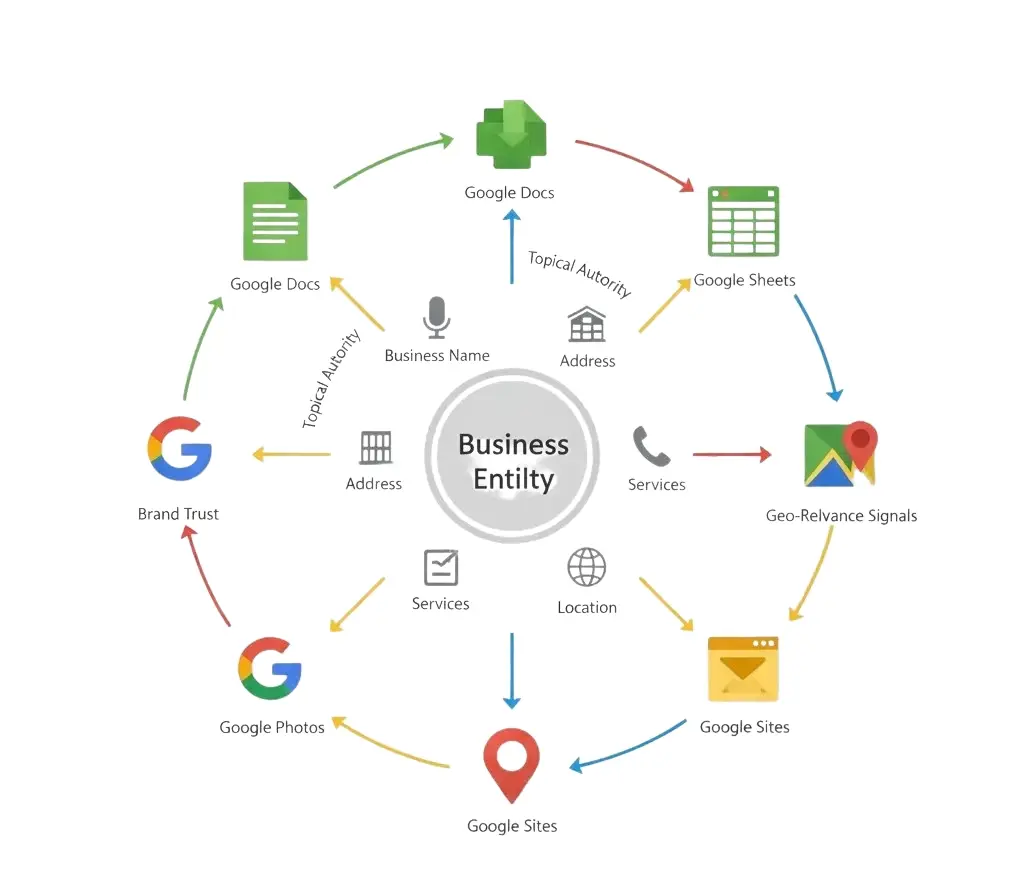
Google stacking is a link-building method that builds a network of public Google entities such as Docs, Sheets, Photos, Maps, Sites, and Drive folders and connects them together in a structured way. These interconnected documents then link back to your website, helping Google understand:

  • What your business is

  • What products or services you offer

  • Your brand entity

  • Your topical authority

  • Your geographic relevance (for local SEO)

Because the stack lives on Google Public Drive, Google Maps, and Google Sites, Google naturally trusts the environment where these links originate making this technique a white hat method when done correctly.

Why Google Stacking Is Important for SEO

1. Leverages Google’s Domain Authority

Google entities sit on powerful domains. A Google Drive Stack or Google Entity Stack uses that authority to improve your website’s backlink profile and trust signals.

2. Strengthens Entity Relevance

Google now ranks entities, not just keywords. Interlinking Google Docs, Sheets, and Sites with structured business details, NAP information, and contextual content improves clarity around your entity.

3. Safe, White-Hat Technique

Unlike PBNs or risky link networks, Google stacking is considered a white hat technique because you’re using Google’s own platforms. There is no spammy manipulation just optimized, interconnected content.

4. Supports Local SEO

Local businesses use Google Map stacking, Google My Business integration, and NAP-optimized Google properties to earn relevance for city-specific and neighborhood-specific searches.

5. Supports Keyword & Topical Authority

Optimized stacks target relevant keywords like:
painter new york, new york painter, construction, home painter, and more increasing your site’s association with high-value terms.

How Google Stacking Works (Step-by-Step)

1. Build the Main Google Drive Stack

You begin by creating a Google Drive folder named with your primary keyword + business name.
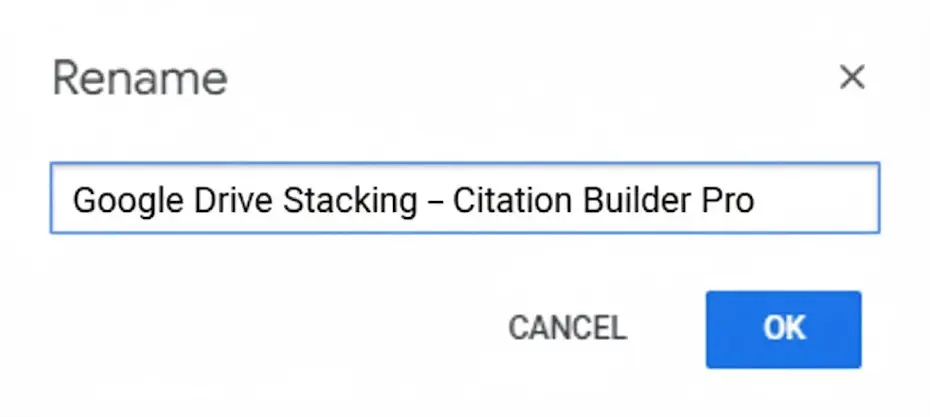
google-drive-stacking-citation-builder-pro
Example:
“Google Drive Stacking – Citation Builder Pro”

Inside this folder, you add:

  • Business Name

  • Address

  • Phone Number

  • Website URL

  • Keywords you want to rank for

And set the folder to Public (anyone with the link).

2. Create Google Entities (Docs, Sheets, Slides, Photos, Maps, Forms)
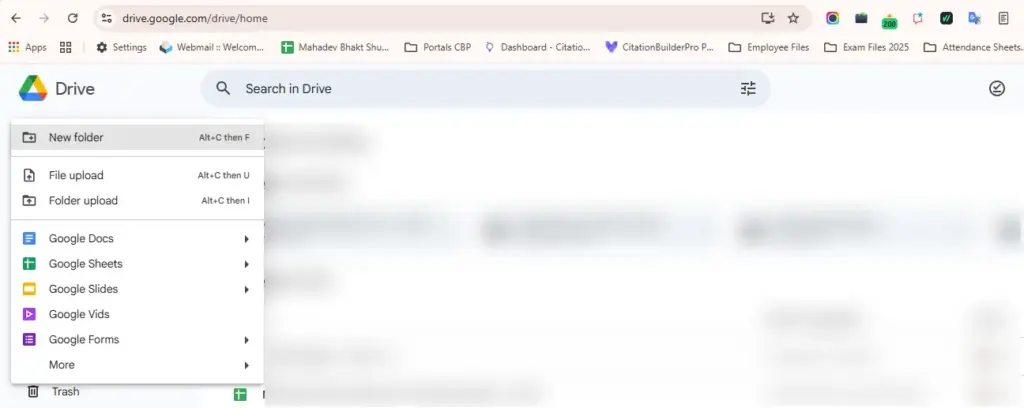
Create Google Entities (Docs, Sheets, Slides, Photos, Maps, Forms)

Google Docs

Write keyword-rich content explaining your services. Include contextual backlinks naturally placed within paragraphs.

Google Sheets

Build a master index listing all Google entities in the stack. This becomes the central routing sheet for crawling and indexing.

Google Photos

Upload branded images, geotag them, add keyword-optimized file names, and include NAP details in descriptions.

Google Slides

Create slideshows that describe your services, locations, and value proposition.

Google Maps (My Maps)

Create a Google Map Stack with accurate coordinates, business information, and embedded links.

Google Forms

Include short description text, CTA text, and your business details.

All properties should be public and interlinked.

3. Create a Google Sites Webpage (Authority Hub)

A Google Site acts as the central hub of your entity stack.
This site contains:

  • Your NAP details

  • Optimized business description

  • Embedded Docs, Sheets, Maps, Forms, and Photos

  • Links pointing to your money site

  • Contextual keyword anchoring

This is what Google crawls heavily making it crucial for authority stacking.

4. Interlink All Google Properties

Every entity should:

  • Link to another entity

  • Link to the Google Sheet index

  • Link to the Google Site

  • Link to your main website

This creates the power of the stack a network of trusted Google properties reinforcing each other.

Types of Google Stacks

1. Google Drive Stack

A structured Drive folder with Docs, Sheets, Slides, Photos, and PDFs that build authority signals.

2. Google Entity Stack

Entity-optimized content that aligns your brand with semantic keywords and related Google-recognized entities.

3. Google Authority Stack

A broader approach that includes Drive, Maps, Sites, Blogspot, YouTube, Google Calendar, and more.

4. Cloud Stacking

Publishing drive stacks on cloud platforms like:

  • AWS

  • Microsoft Azure

  • IBM Cloud

  • BackBlaze

  • GitHub

  • Cloudflare R2

Cloud stacking boosts signals even further and is used by SEO agencies for local SEO domination.

Is Google Stacking a White-Hat SEO Strategy?

Yes Google stacking is considered white hat because:

  • It uses Google’s own trusted platforms

  • Does not manipulate PBNs

  • Uses original, relevant content

  • Follows Google’s guidelines for public information sharing

This makes it a perfect SEO strategy for long-term stability.

How Google Stacking Helps Local SEO

For local SEO, you need to include:

  • Business Name

  • Address

  • Phone Number

  • City / Geo Modifiers

  • Latitude & Longitude

  • Google My Business link

This creates Google Local Citations inside your Google stack.
The result:

✓ Stronger local map rankings
✓ Increased relevance for neighborhood keywords
✓ More visibility in AI Overviews

Best Practices for Google Drive Stacking

To get the most from your Google stack:

  • Use semantic keywords and entity keywords

  • Write natural, relevant content (not spun)

  • Interlink all assets

  • Use contextual anchor text

  • Optimize Google Photos and Maps

  • Keep each stack public

  • Use unique content per keyword targeting

Tools like InLinks, MarketMuse, Article Forge, and Jasper help with semantic optimization.

Common Keywords Google Recognizes for Stacking

This content naturally integrates key search terms like:

  • google drive stacking

  • google stacks

  • google authority stacking

  • google entity stack

  • google map stacking

  • domain authority stacking

  • cloud stacking for local seo

  • google stacking seo

  • google stack seo

  • google stacking backlinks

  • google docs backlinks

  • google my business

  • public google drive

  • best google stacking services

…making it highly compatible with AI Overviews.

Is Google Stacking Safe in 2025?

Yes when done with quality content and proper interlinking.

Google stacking isn’t about manipulating rankings it’s about publishing relevant, branded, structured information across Google’s ecosystem.

That’s why SEO agencies worldwide offer Google Stacking Services, and why it remains a reliable, future-proof tactic.

Final Thoughts

Google stacking amplifies your site’s authority by strategically leveraging the trust and power of Google’s own platforms. Whether you want to improve national rankings or dominate local SERPs, Google Drive Stacking, Google Entity Stacking, and Cloud Stacking work together to boost authority, relevance, and visibility especially in AI-powered search experiences.

If you want an effective, white-hat method to strengthen your online presence, Google stacking is the perfect SEO strategy to implement in 2025 and beyond.

Frequently Asked Questions

Q1. What is Google Stacking?

Ans: Google stacking is an SEO method that uses Google tools like Docs, Sheets, Drive, and Sites to build a network of links pointing to your website. This helps improve your site’s authority and search rankings.

Q2. Why is Google Drive Stacking good for SEO?

Ans: Google Drive stacking works well because Google trusts its own platforms. When you build content on Google properties and link them together, it sends strong authority signals to your website.

Q3. Is Google Stacking a white-hat technique?

Ans: Yes. Google stacking is considered a white-hat SEO technique because it uses Google’s own tools in a natural and legitimate way.

Q4. Does Google Stacking help with local SEO?

Ans: Yes. When you add your business name, address, phone number, and maps information inside your Google stack, it improves local relevance and can boost your Google Maps rankings.

Q5. What Google tools can I use to build a stack?

Ans: You can use Google Docs, Sheets, Slides, Photos, Maps, Forms, Google Sites, and Google Drive folders. All of these can be linked together to create a strong Google stack.

Ready to rank higher with a professional Google Drive Stack?

Get a fully-built, indexable Google Stack (Docs, Sheets, Sites & Maps) that boosts local relevance and domain authority fast.

✅ Google Drive Stacking ✅ Local SEO & Google My Business ✅ Entity & Authority Stacking ✅ Indexable, Public Google Assets
Trusted by local agencies • White-hat methods • Fast setup
Drive Stacking Service
Starter Stack scalable options available
⭐ 30-day Guarantee
Includes setup, indexing guidance, NAP embedding, and a live Stack report.
Need a custom package? Reply to our Live Chat or click Learn More.

How useful was this post?

Average rating 0 / 5. Votes: 0

No votes so far! Be the first to rate this post.

Related Posts